
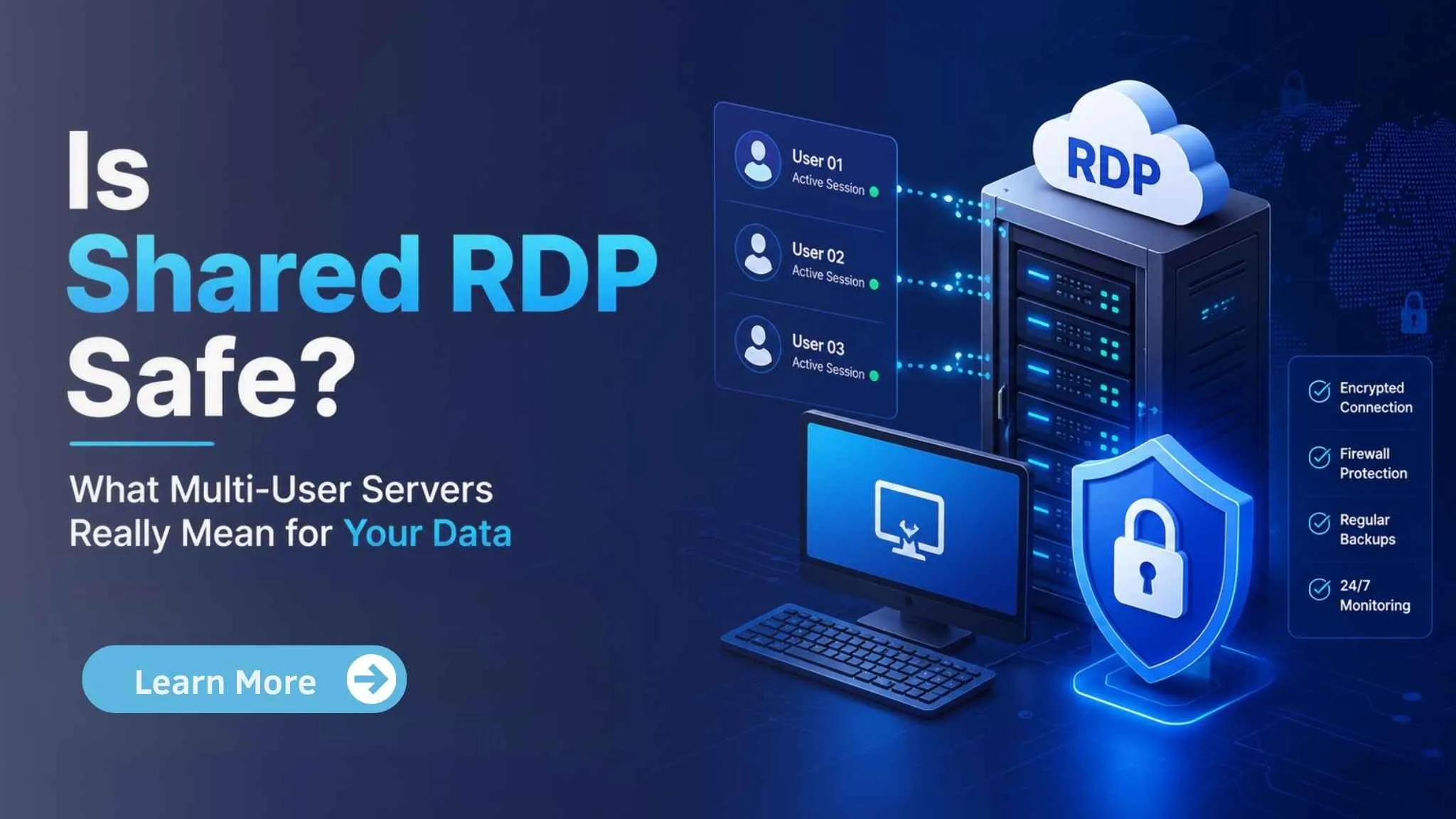
| Yes, shared RDP is safe when provided by a trusted hosting company like Vost RDP with strong security measures. Although multiple users share the same server, each account runs in an isolated environment, preventing access to other users’ files or data. For most everyday tasks, shared RDP offers a secure, affordable solution. Users needing full administrative control should choose a dedicated RDP instead. |
Sharing a server with strangers sounds risky. That worry is fair if you don’t know how shared RDP actually works. Shared RDP means several people log into the same physical Windows server, each in their own separate desktop session. It’s the cheapest way to get a real Windows computer online, which is why gig workers, marketers, and first-time buyers pick it over pricier private plans.
But is shared RDP safe for your data, or are you handing your files to a room full of strangers? That’s the real question behind this search, and it deserves a straight answer instead of a sales pitch. This guide explains what “shared” actually means on the server, what protects your files, what doesn’t, and when you should skip shared RDP for something more isolated.
What Is Shared RDP, Really?
| Shared RDP is a remote desktop service where multiple users share the same Windows server while working in separate, isolated accounts. Each user gets their own login, desktop, files, and applications. Although the server is shared, properly configured Shared RDP keeps user sessions separate, making it a secure and cost-effective option for many everyday tasks. |
RDP stands for Remote Desktop Protocol. It’s the tool Windows uses to let you control a computer from far away, as if you were sitting in front of it. A shared RDP server is one physical machine that hosts many separate user accounts at the same time.
Think of it like an apartment building. You and your neighbours share the same building, the same power line, and the same front gate. But each apartment has its own locked door. Nobody can walk into your unit just because they live in the building.
On a shared RDP server, each user gets their own Windows account, their own desktop session, and their own login. One user cannot browse another user’s files just by connecting. That separation is built into Windows itself, through account permissions and file-level security rules called NTFS permissions, which simply means each folder is locked to the account that owns it.
This is different from sharing a single login. Some cheap providers cut corners by putting several customers on one shared administrator account. That setup is genuinely risky, since anyone on that account can see every file and every open program. A properly run shared RDP server never does this. Each customer gets their own username, their own password, and their own session that closes when they disconnect. If a provider can’t clearly explain that each user has a separate account, that’s a warning sign worth asking about before you pay.
Why This Matters If You’re Gig Work or a First-Time Buyer
If you run automation tools, marketing bots, or social media scheduling software, your biggest fear probably isn’t hacking. It’s your account getting flagged or your work slowing to a crawl because someone else on the server is hogging resources.
This is a real, separate issue from data safety, and it’s worth naming clearly. On shared plans, several users draw from the same pool of CPU and RAM. If one user runs a heavy task, other sessions can slow down. Hosts call this the “noisy neighbour” problem, and it’s normal on any budget-shared plan, not a sign that something is broken.
Data privacy is a different question. As long as the server enforces proper Windows account permissions, your files stay inside your own session folder. Other users can’t casually open your documents, your browser history, or your saved logins. What they can affect is your speed, not your files, unless the server is badly misconfigured.
First-time buyers often worry about a different thing: trust in the provider itself. Can you believe a budget host when it says your data is safe? The honest answer is to look for concrete signals, not vague promises. Ask about firewalls, account isolation, and how disc space and users are separated on the box, and don’t be shy about asking support directly before you buy.
How VostRDP Handles Shared Server Safety
| VostRDP keeps every user account isolated, so your files, applications, and sessions stay separate from other users on the same server. Strong access controls, regular security updates, firewall protection, and monitored infrastructure help safeguard your data. If your work requires administrator rights or complete isolation, upgrading to a dedicated RDP plan is the better choice. |
VostRDP’s Cheap USA Shared RDP plans put each customer in their own Windows user account on the server, with permissions set so one account cannot read another account’s files. Firewalls and monitoring sit in front of every shared server, and each plan is capped at a set number of users so no single box gets overloaded past what the hardware can handle.
Pricing starts at $3.99 a month, which makes it the easiest entry point for someone testing automation tools, running a small side project, or trying Windows remote access for the first time. You get full instant access without paying for a private server you may not need yet.
That said, shared RDP has real limits. If your work needs admin rights to install low-level software, run resource-heavy bots around the clock, or handle sensitive client data that must stay fully separate from other accounts, a shared plan is the wrong tool. That’s when it’s time to look at a dedicated option instead of pushing a shared server past its design.
When to Upgrade: Shared vs. Beast RDP
| Choose Shared RDP if you need affordable remote access for browsing, office work, SEO, or light automation. Upgrade to Beast RDP when you need dedicated resources, admin rights, higher performance, stronger isolation, or run resource-intensive tasks like multiple bots, video editing, software development, or demanding business applications without performance limits. |
Here’s a simple way to decide which one fits your work.
Stick with shared RDP if you:
● Are testing RDP for the first time and want a low-cost starting point
● Run light automation, browsing, or social media scheduling tools
● Don’t need admin-level installs or heavy background processes
● Are comfortable with normal shared-server speed, which can vary at peak times
Move up to Beast Shared RDP, if you:
● Run CPU-heavy bots, trading scripts, or multiple automation tools at once
● Need more consistent performance instead of variable shared speed
● Want extra headroom without paying for a fully private server yet
● Are you outgrowing your current shared plan’s resource limits
Consider a private plan, like USA Private RDP, if you:
● Need full admin rights to install custom or low-level software
● Handle client data that must stay completely separate from any other user
● Run 24/7 workloads where any slowdown costs you money
● Want a dedicated IP address tied only to your account
If you’re not sure which tier fits, VostRDP’s support team can walk through your workload and recommend the right plan before you buy, which beats guessing and paying for more than you need.
A Quick Checklist Before You Buy Shared RDP
Before you sign up for any shared RDP plan, budget or otherwise, run through this short list:
● Ask if each user gets a separate Windows account. This is the single most important safety question. If the answer is no, keep looking.
● Check how many users share one server. Fewer users per box usually means less resource contention and a smoother experience.
● Look for basic security layers. Firewalls and monitoring should be standard, not an upsell.
● Read what happens with your data after cancellation. A clear policy shows the provider takes data handling seriously.
● Test support response time. A host that answers questions quickly before you buy is a good sign of how they’ll treat you after.
None of these checks take more than a few minutes, and they tell you far more than a provider’s marketing page ever will.
Conclusion:
Shared RDP is safe for your data when the provider enforces proper account isolation, which is standard practice on any legitimate host. What shared RDP does not guarantee is consistent speed, since you’re sharing hardware with other users. Know the difference between those two risks, and you’ll pick the right plan the first time.
For most first-time buyers and light automation users, shared RDP is a smart, low-risk way to start. For anyone running heavier or more sensitive work, it’s worth paying a little more for a private server built for that job. If you want help choosing the right fit for your workload, contact our support team.
Frequently Asked Questions (FAQ)
2. Can other users on a shared RDP server see my files?
No, not under a properly configured setup. Each user on a shared RDP server gets an isolated desktop session and a Windows account with permissions that block access to other accounts' folders. This is the same protection used on any multi-user Windows machine. The only exception is if a provider carelessly shares one login across multiple customers, which a trustworthy host avoids.
3. What is the difference between shared RDP and private RDP?
Shared RDP puts several customers on one server, each in a separate account, sharing CPU and RAM. Private RDP gives one customer the entire server, with full admin rights and no other users. Shared plans cost less and suit light workloads or first-time buyers. Private plans, like VostRDP's USA Private RDP, fit heavier tasks, admin-level installs, or work that needs guaranteed, uninterrupted resources.
4. Why does my shared RDP sometimes feel slow?
Shared RDP servers split CPU, RAM, and disc resources among every connected user. If another account on the same server runs a heavy task, your session can slow down temporarily. This is called the "noisy neighbour" effect, and it's normal on budget shared plans, not a security problem. If slowdowns happen often, upgrading to a plan with fewer users per server, like Beast Shared RDP, usually fixes it.
5. How many users typically share one RDP server?
Shared server limits vary by provider and plan. VostRDP's shared plans cap each server at a set number of users so performance stays predictable, rather than overselling the hardware. Fewer users generally means smoother sessions and less resource competition. Always ask a provider directly how many accounts run on a given shared server before buying, since this detail affects your day-to-day speed the most.
6. When should I upgrade from shared to private RDP?
Upgrade when your work needs full admin rights, handles sensitive client data that must stay fully separate, or runs heavy automation and trading bots around the clock. Shared RDP works well for light, occasional use, but private plans give guaranteed resources and a dedicated IP address. If slowdowns or resource limits are costing you time or money, that's a clear sign it's time to move up.
7. Is it safe to run automation or trading bots on shared RDP?
Light automation tools generally run fine on shared RDP, since each account stays isolated from others. Heavier, continuous bots can strain shared resources and get slowed down by other users' activity, which isn't a safety issue but a performance one. For 24/7 automation or forex trading that needs steady, uninterrupted speed, a private RDP or VPS plan is the safer, more reliable choice.